Intelligent Clinical Scheduling
The Clinic
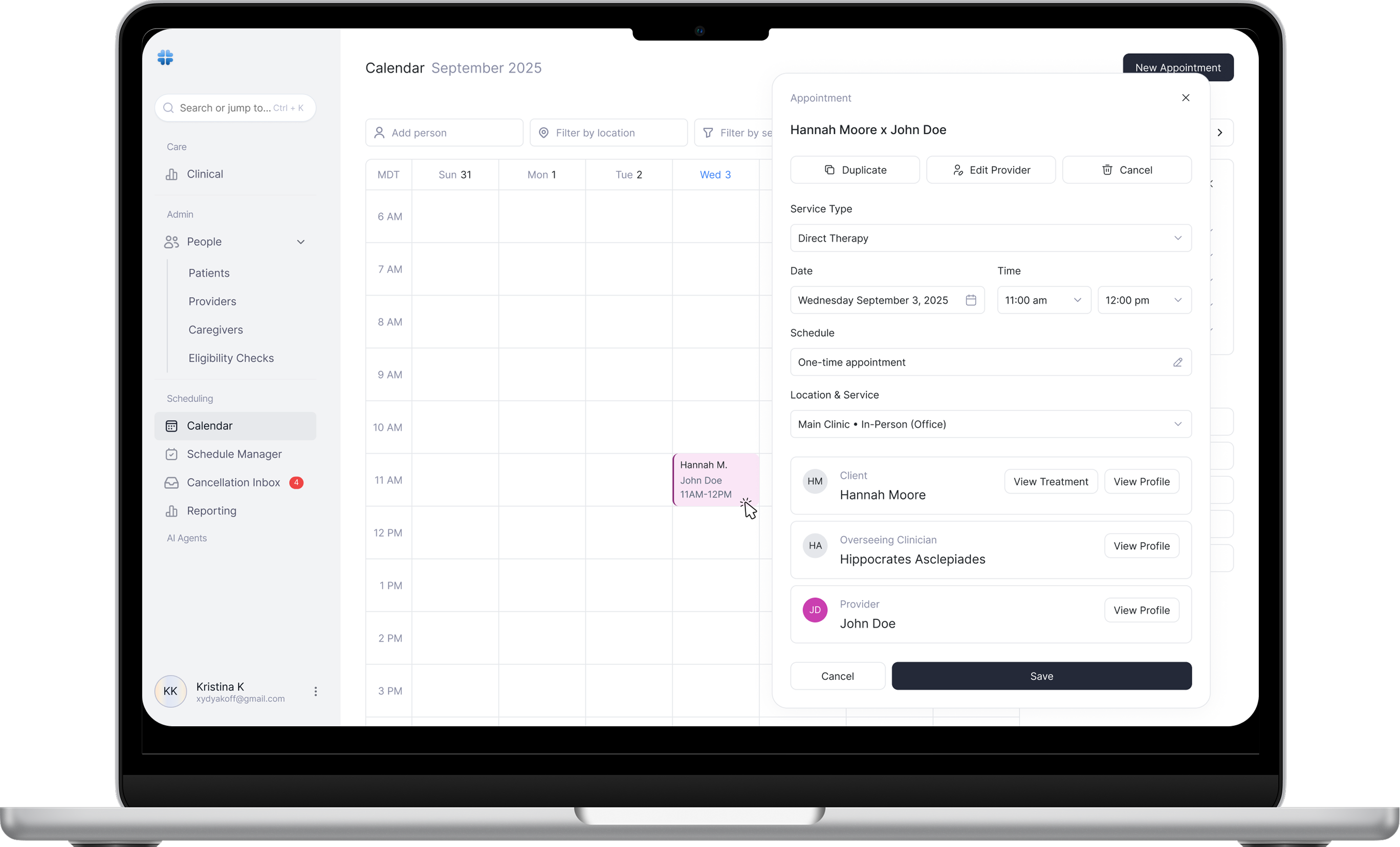
End-to-end clinical scheduling for multi-provider healthcare practices. The product supports high-volume appointment creation, provider matching, insurance validation, and rapid calendar operations without compromising accuracy or compliance.
This is a mission-critical workflow: Errors cost money, time, and patient trust. The goal was speed with zero ambiguity.
Clinical teams juggle patients, providers, services, locations, insurance rules, and availability all at once. Existing tools force linear flows, context-switching, and manual checks.
- -Scheduling requires many variables at once, not step-by-step guessing
- -Provider changes and duplication are common and must be instant
- -Insurance eligibility must be validated before confirmation
- -Calendars need to stay fast even at scale
A modular scheduling system that supports both power users and guided flows, built directly on top of the calendar.
Calendar-First Interactions
Appointments can be created, edited, duplicated, or reassigned directly from the calendar without navigating away.
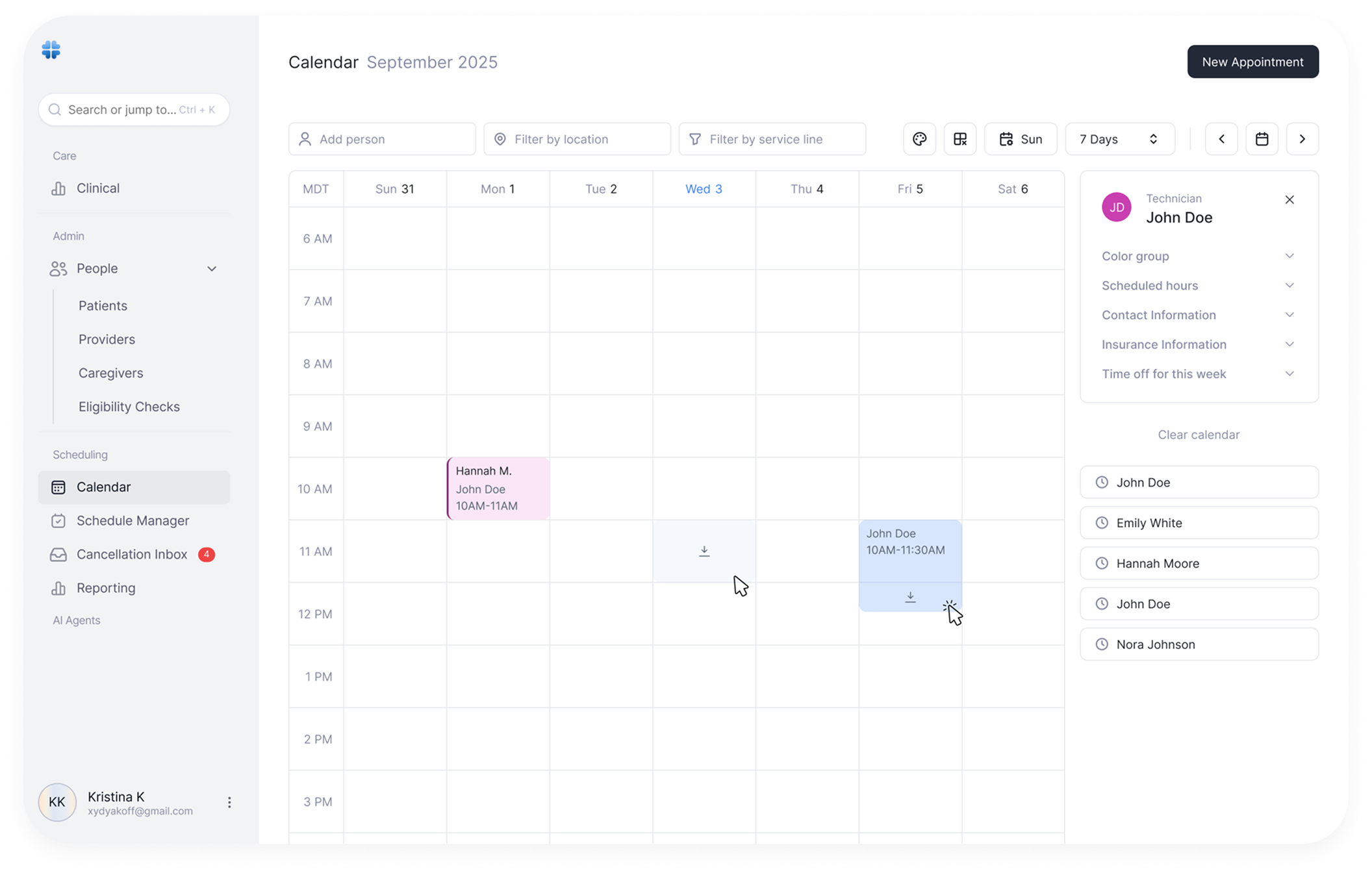
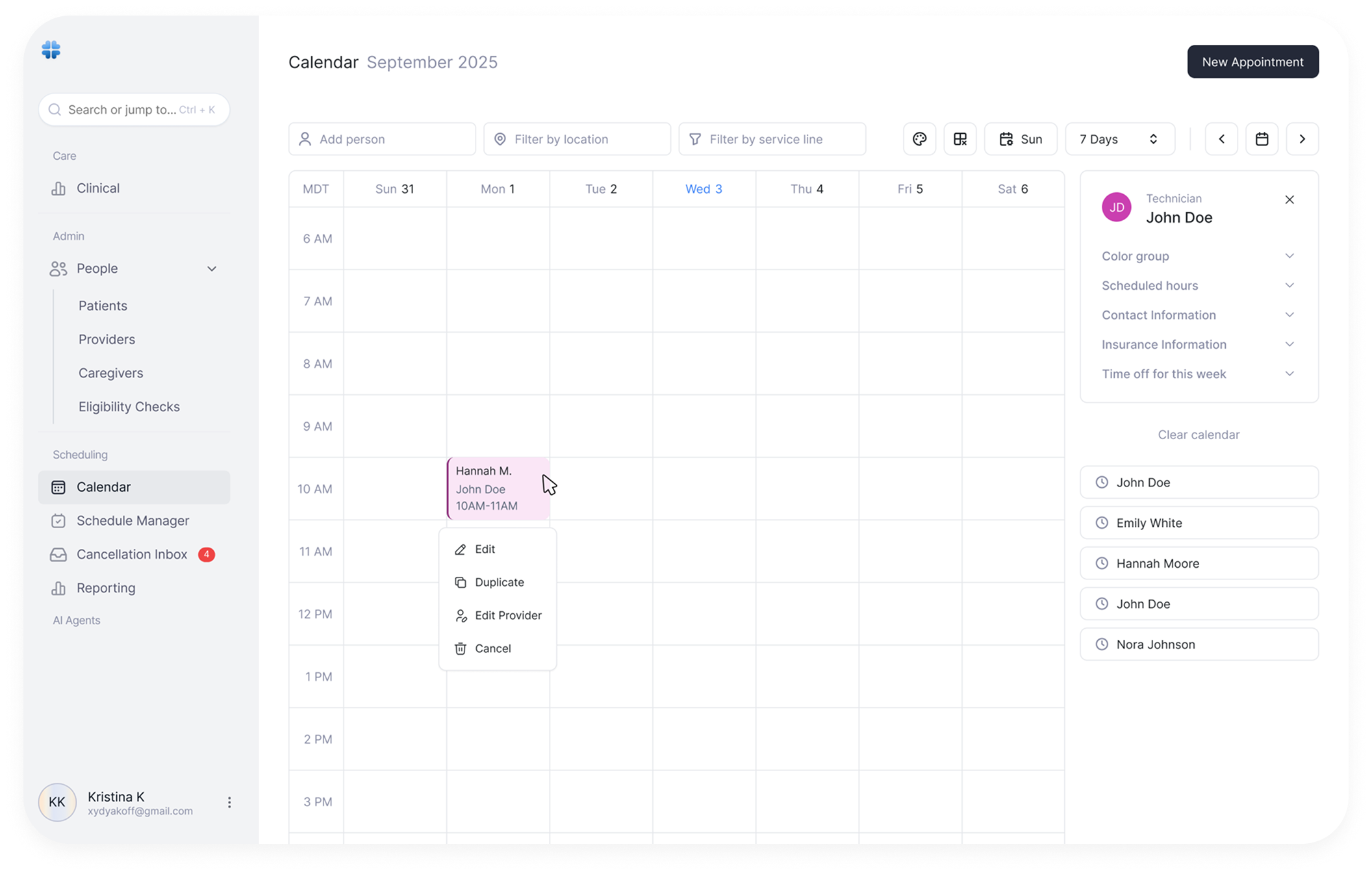
Appointment Detail Panel
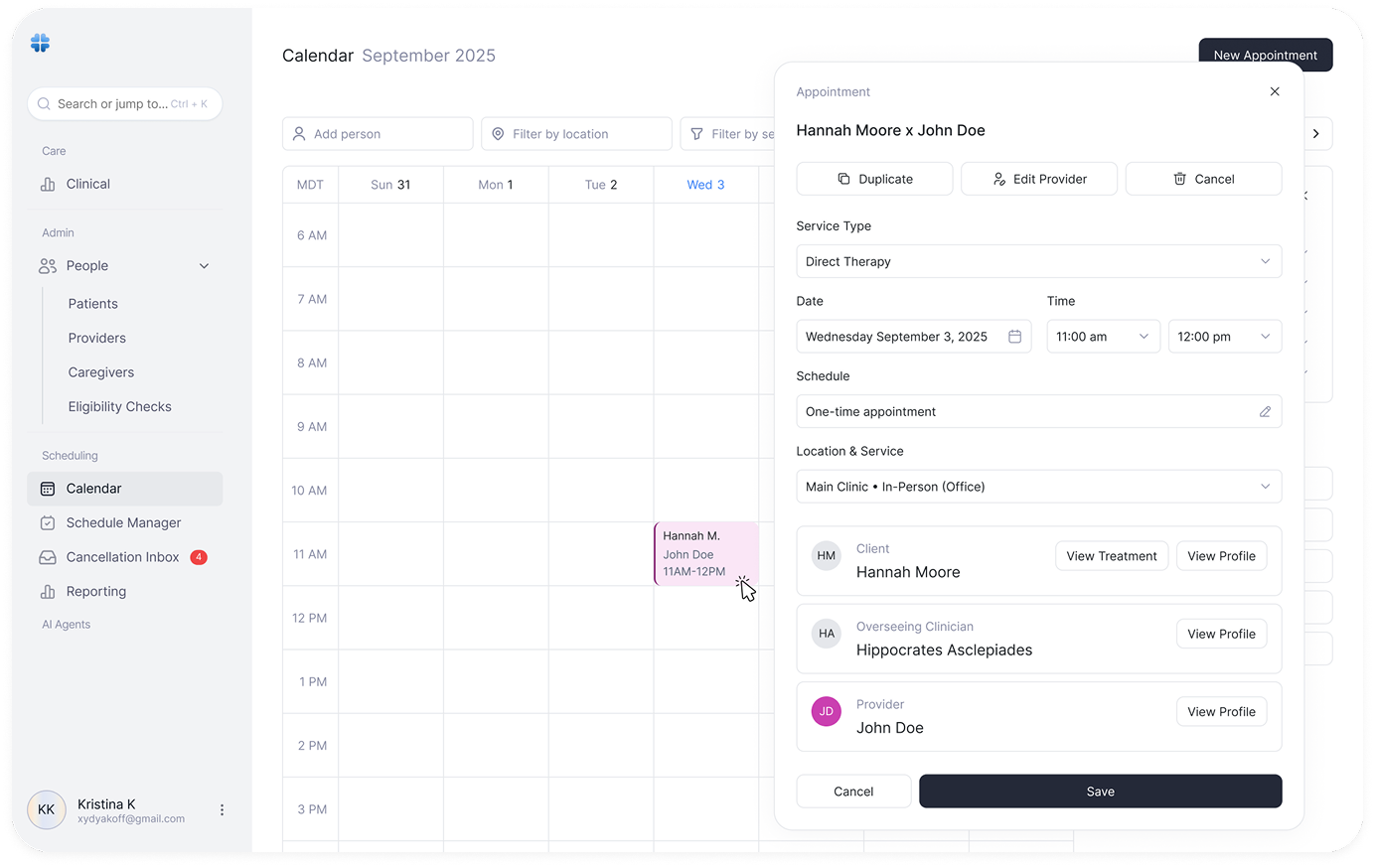
The appointment panel shows all critical information at a glance:
- - Patient name with appointment title (Hannah Moore x John Doe)
- - Quick actions: Duplicate, Edit Provider, Cancel
- - Service Type with dropdown selection
- - Date and Time with calendar picker
- - Schedule type (One-time or recurring)
- - Location & Service (Main Clinic, In-Person)
- - Client, Overseeing Clinician, and Provider with profile links
- - View Treatment and View Profile quick actions
Smart Provider Matching
Providers are ranked using patient history, specialty fit, satisfaction scores, and availability. Recommendations are visible but never forced.
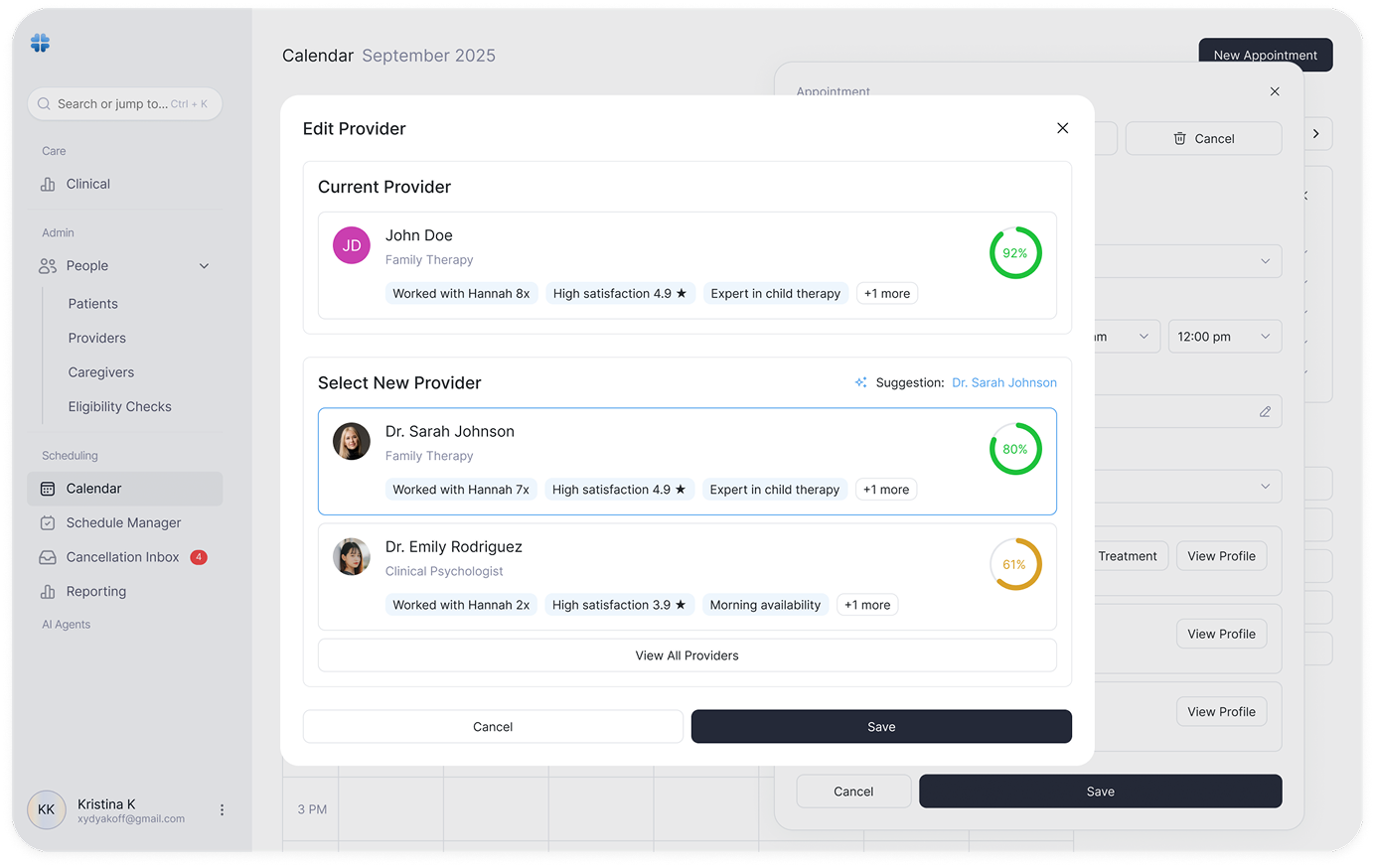
Flexible Scheduling Paths
Users can start with a patient, a provider, or a time. The system adapts instead of enforcing a single flow.
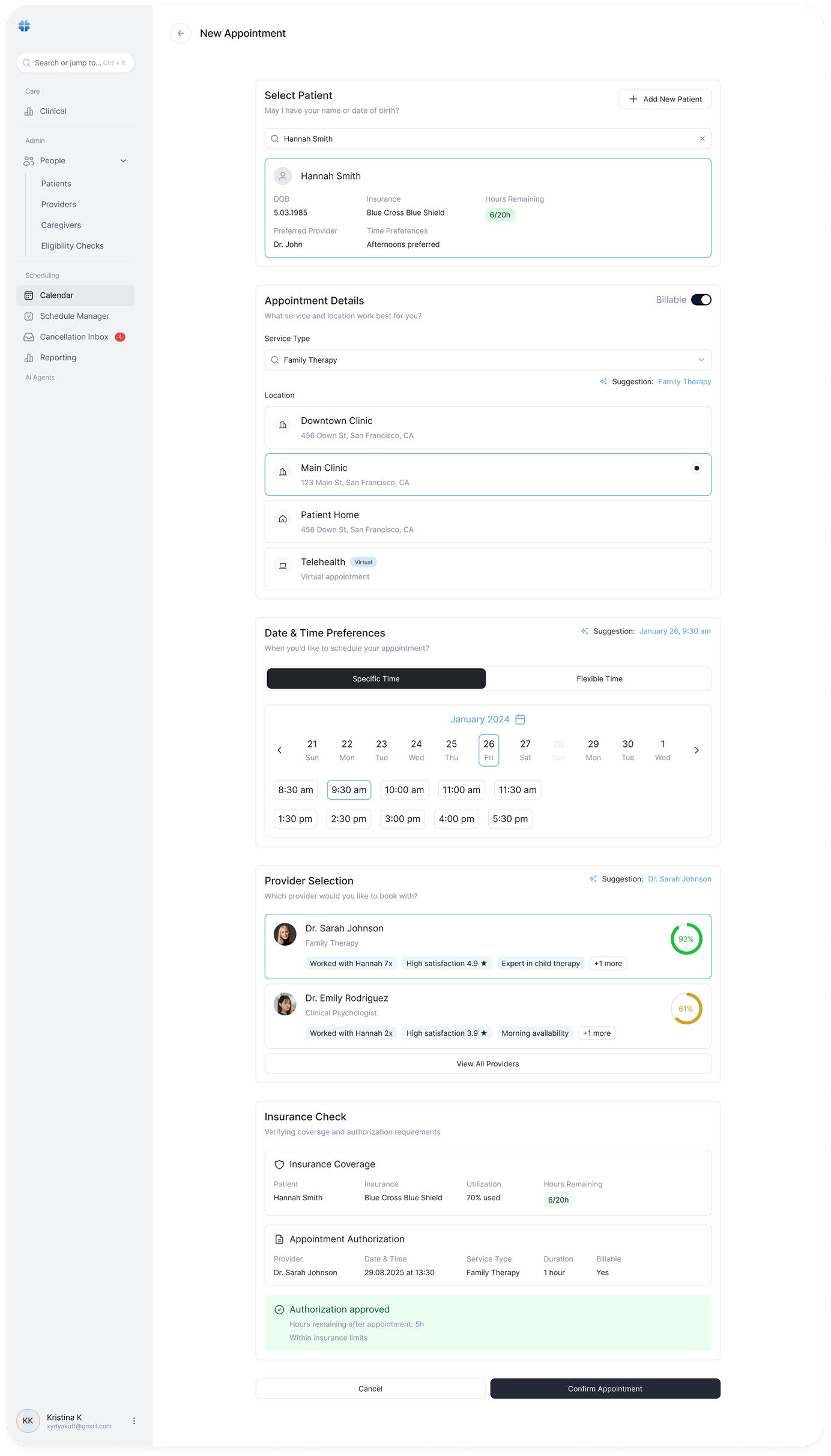
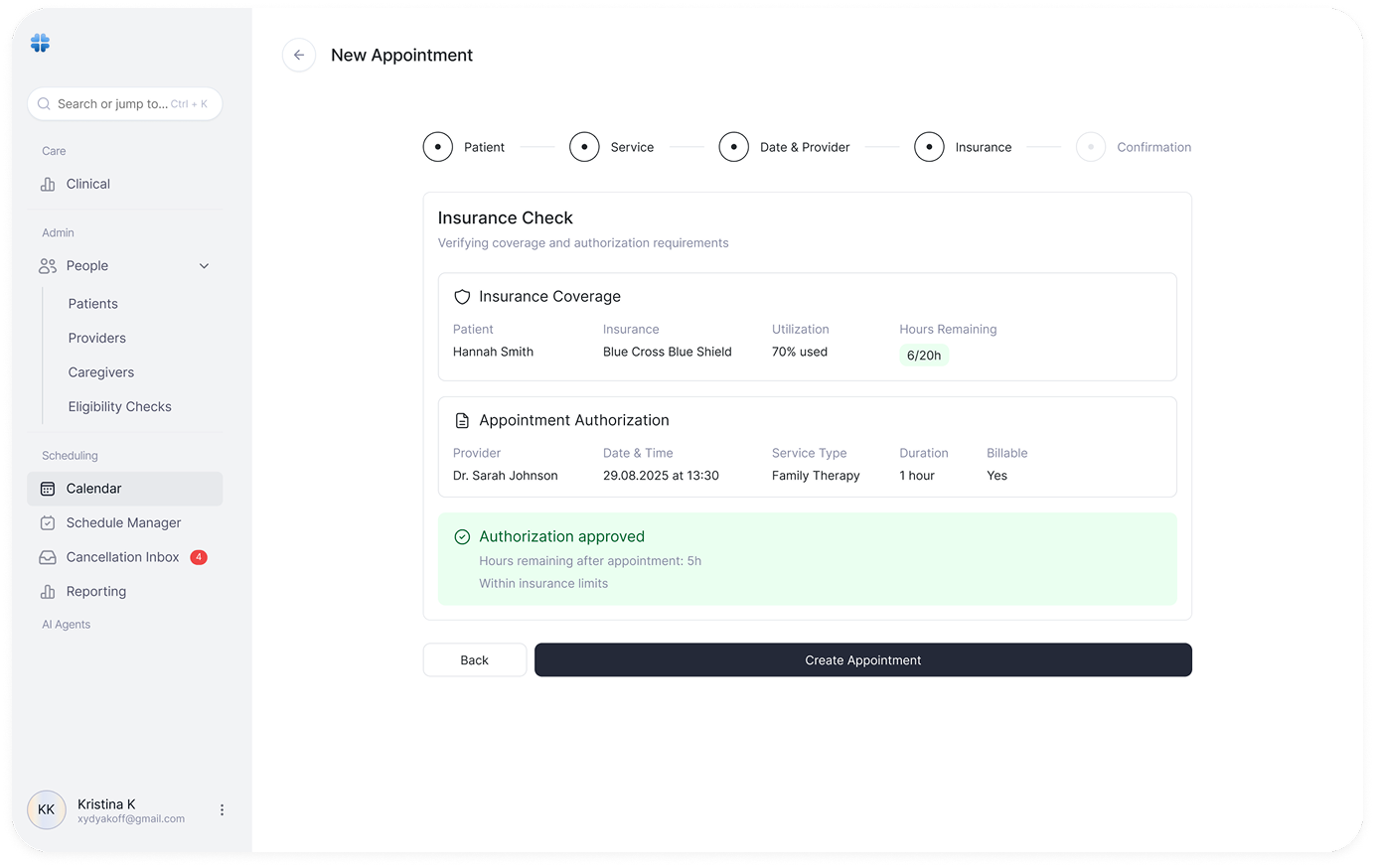
Built-in Insurance Validation
Coverage, utilization, and authorization status are checked inline, preventing invalid bookings before they happen.
System Structure
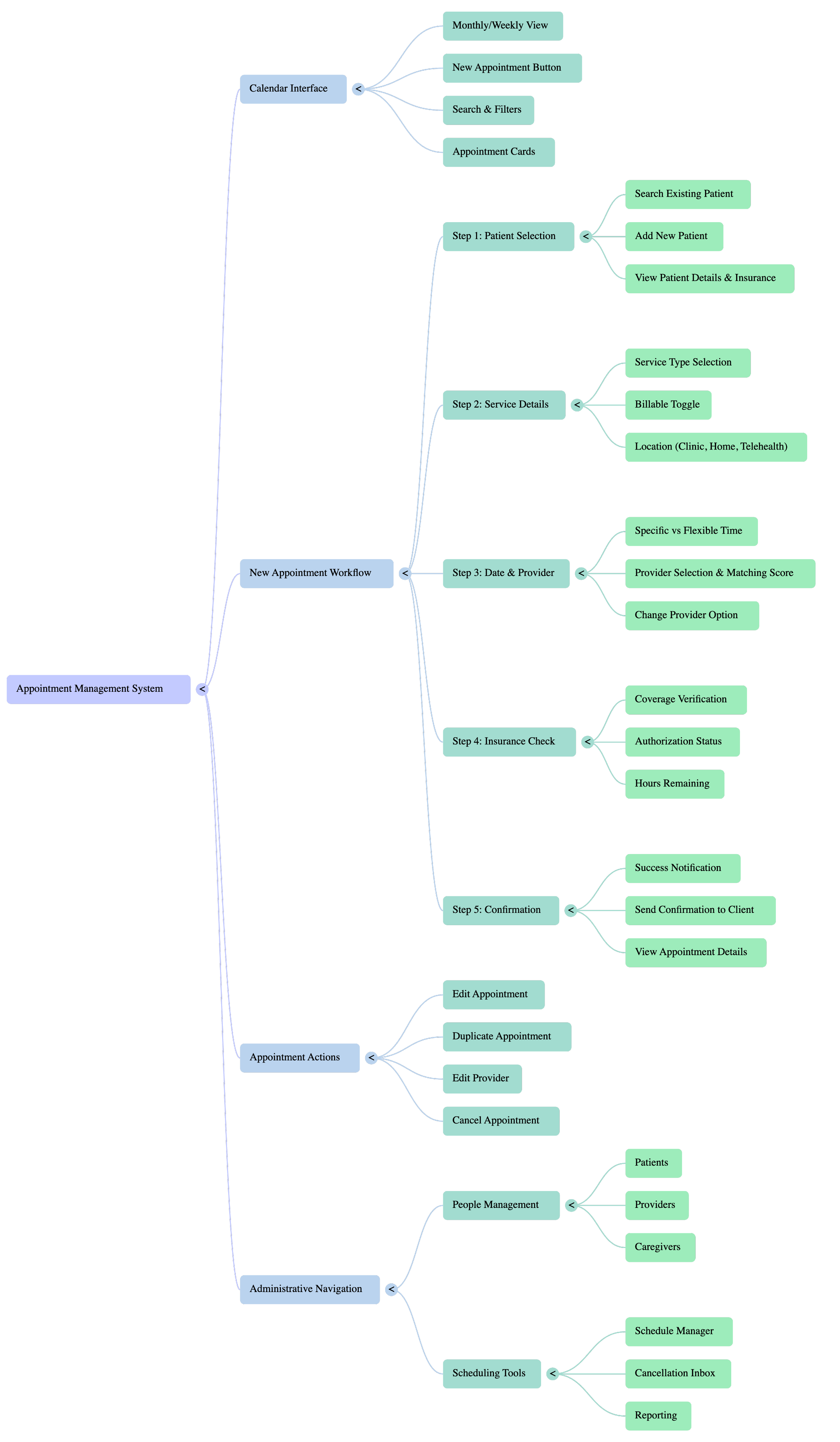
- - Monthly/Weekly View
- - New Appointment Button
- - Search & Filters
- - Appointment Cards
- - Patient Selection
- - Service Details
- - Date & Provider
- - Insurance Check
- - Confirmation
- - Edit Appointment
- - Duplicate Appointment
- - Edit Provider
- - Cancel Appointment
- - Patients
- - Providers
- - Caregivers
- - Eligibility Checks
- - Reporting
- - Clean, clinical interface optimized for healthcare workflows
- - Light theme with blue accents for trust and clarity
- - Sidebar navigation with collapsible sections
- - Card-based appointment displays on calendar
- - Progress stepper for multi-step workflows
- - Semantic color coding for status indicators