Podiatry Board Exam Question Bank & Study Platform
UPod
UPod is a comprehensive question bank and study platform designed specifically for podiatry board exam preparation. It combines high-volume question practice with performance analytics and adaptive review to maximize student readiness.
The platform supports podiatry students preparing for high-stakes board exams by converting raw question practice into actionable insights and personalized study plans.
My role focused on end-to-end product design, from the question-taking interface to analytics dashboards, test creation flows, and subscription management.
Podiatry students face three core challenges:
- -Massive question banks with no clear prioritization
- -Poor feedback loops: students answer hundreds of questions without knowing where to focus
- -Minimal visibility into weak spots or time efficiency
- -Existing tools overwhelm users with data but fail to guide what to do next
Make performance data actionable and concrete—not abstract
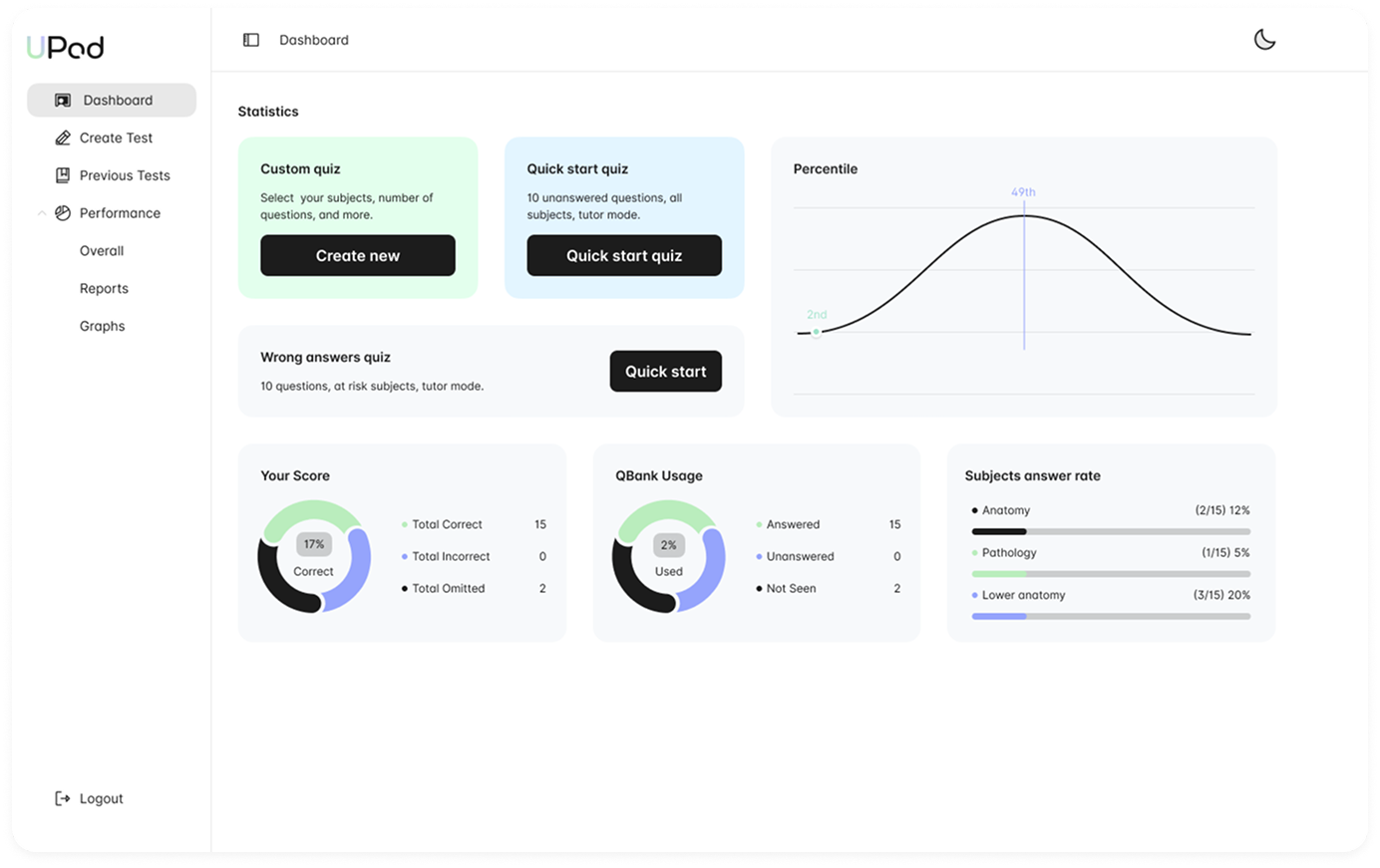
Statistics & Quick Actions
- - Custom quiz creation with subject selection
- - Quick start for immediate practice sessions
- - Wrong answers quiz for targeted review
- - Percentile ranking against other students
- - Score breakdown with donut charts
- - QBank usage tracking
- - Subject answer rate with progress bars
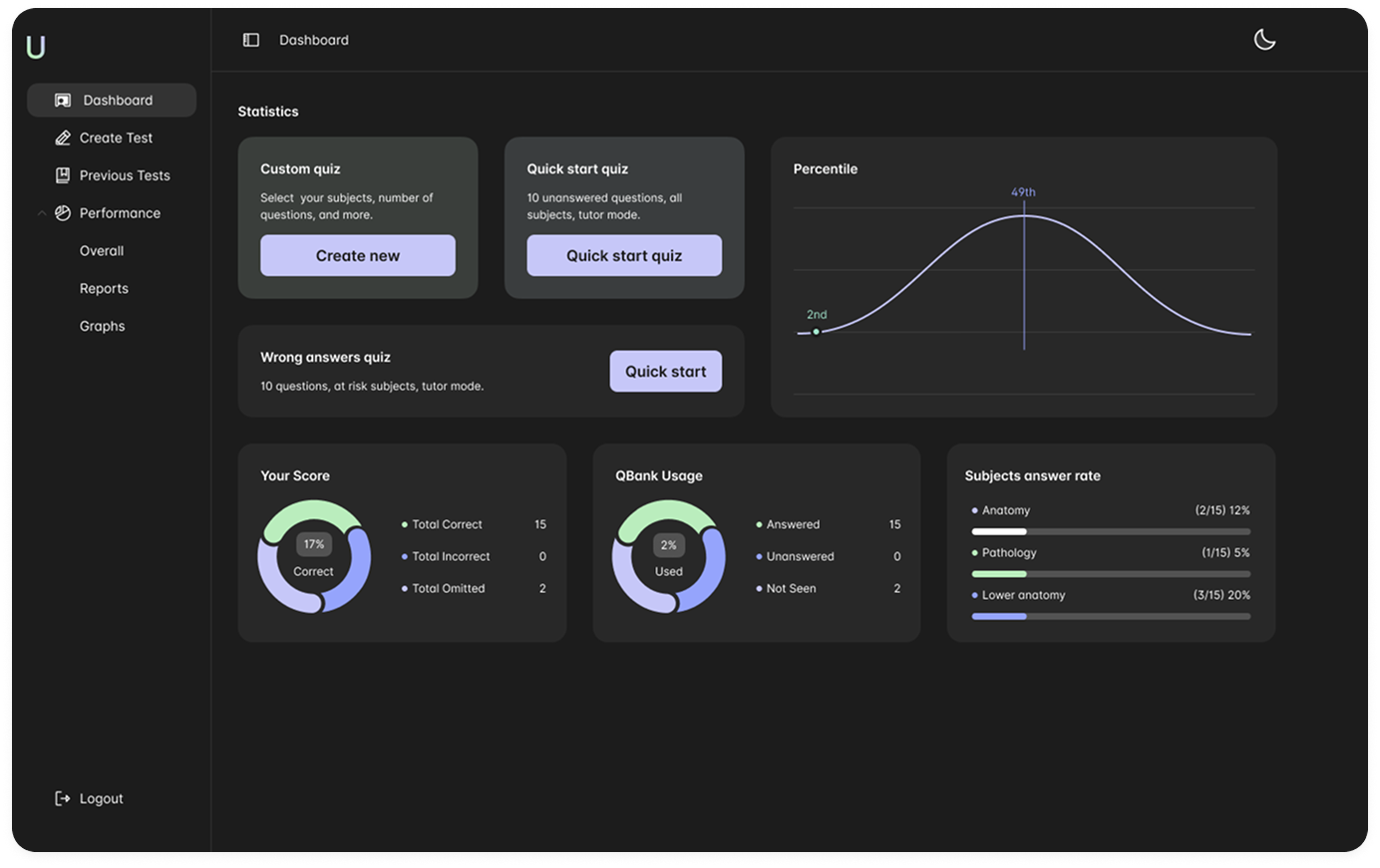
Review Mode with Explanations
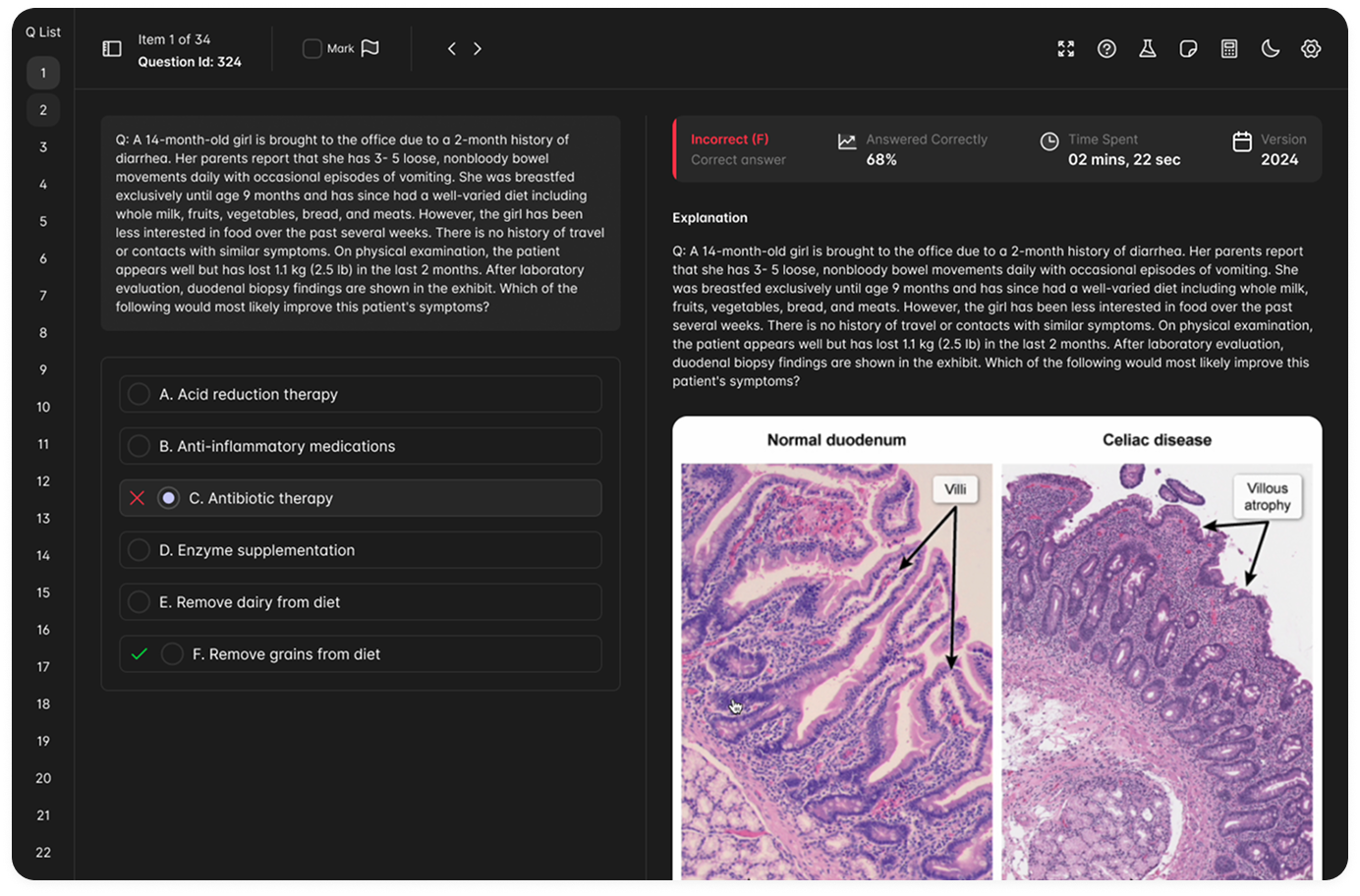
- - Question list sidebar for quick navigation
- - Mark questions for later review
- - Immediate feedback with correct/incorrect indicators
- - Detailed explanations with medical imagery
- - Histology and pathology image support
- - Answered correctly percentage tracking
- - Time spent per question metrics
Designed for depth during review with comprehensive explanations and visual aids.
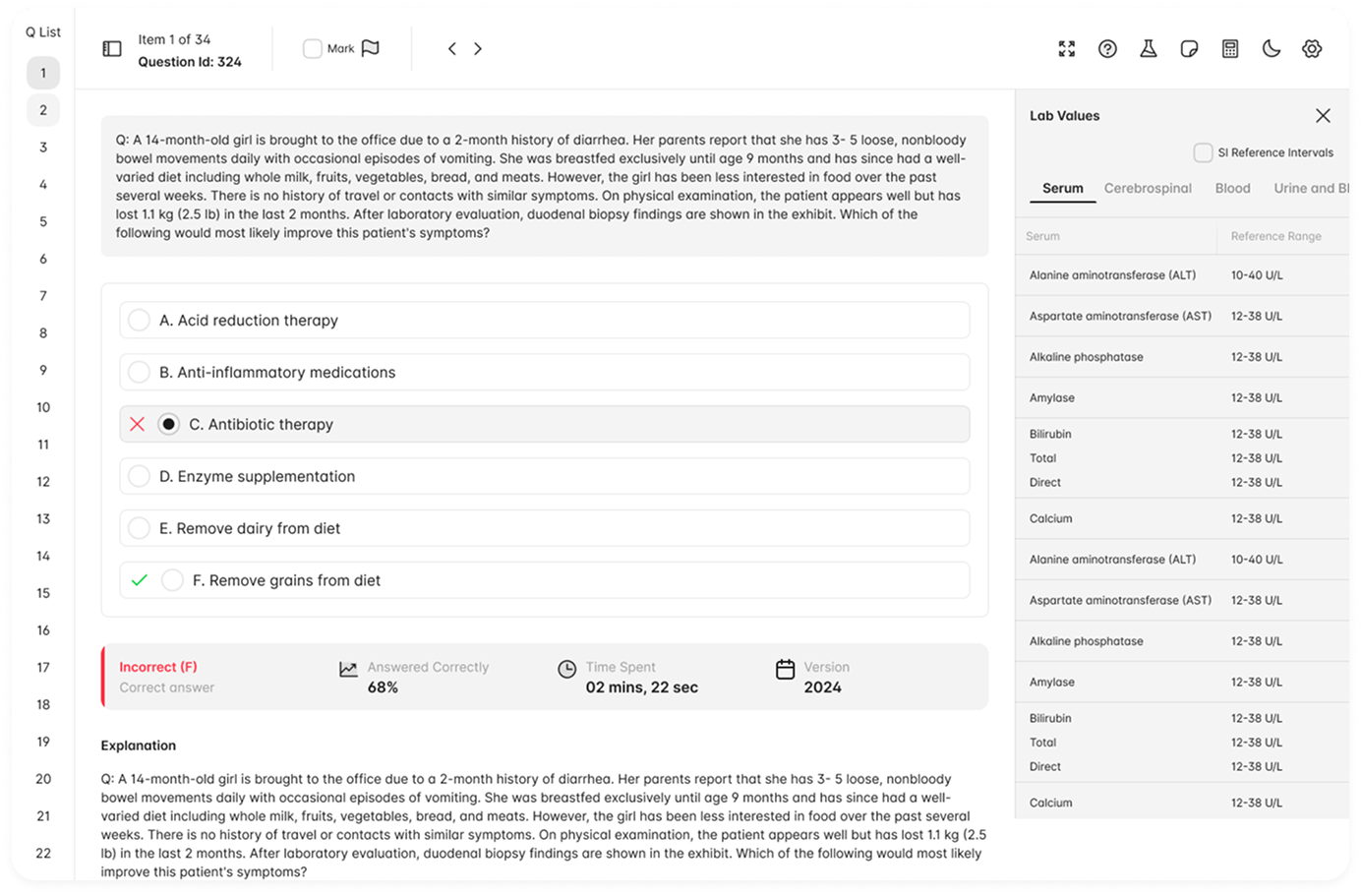
Light Mode with Lab Values
- - Lab Values reference panel
- - Serum, Cerebrospinal, Blood tabs
- - SI Reference intervals toggle
- - Clean answer selection with visual feedback
Practice Anatomy Questions Modal
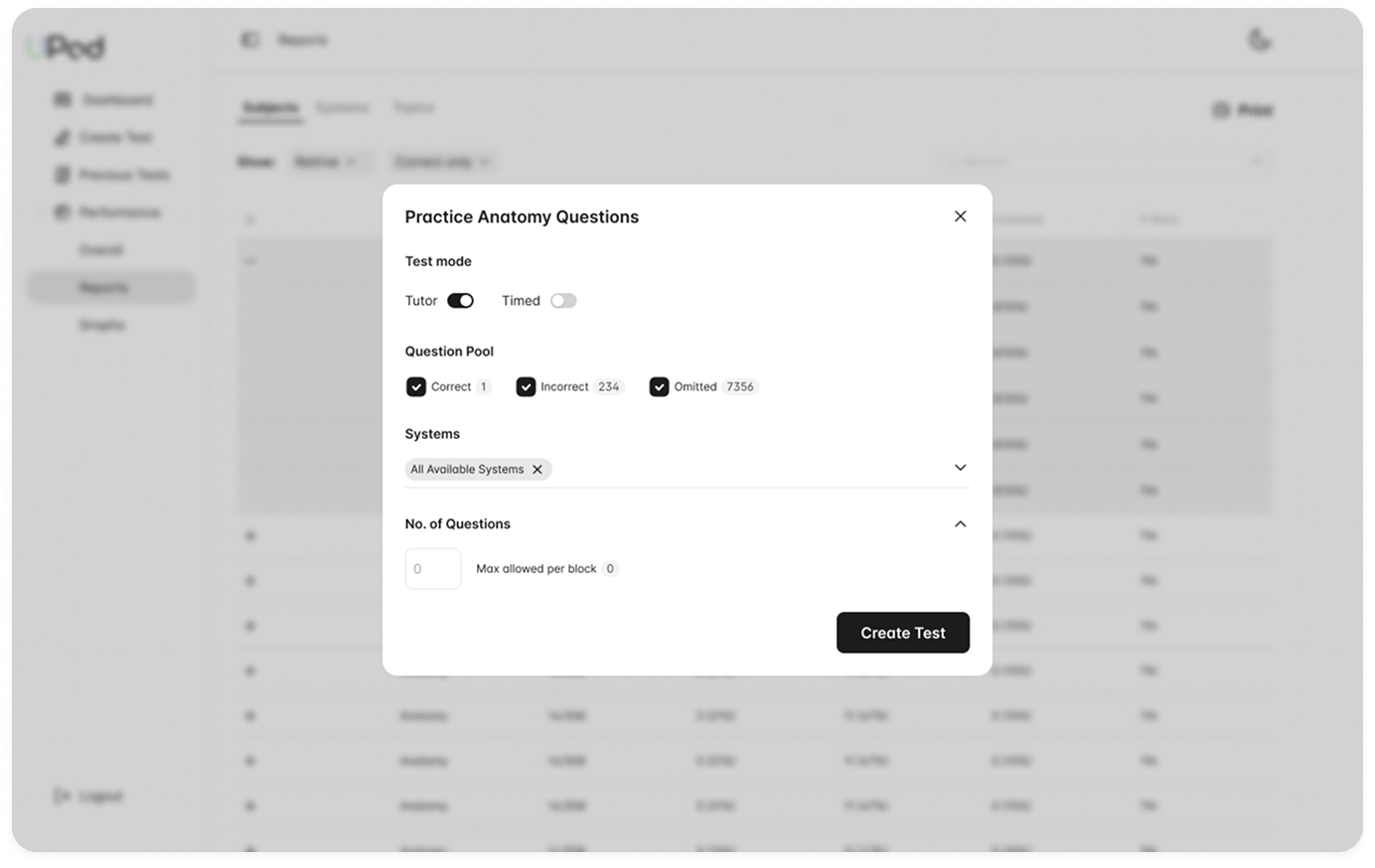
- - Test mode toggle: Tutor vs Timed
- - Question pool filters: Correct, Incorrect, Omitted
- - Systems selection with multi-select
- - Number of questions configuration
- - Max allowed per block indicator
- - Clean modal design with clear CTAs
Every flow is optimized for minimum setup, maximum relevance.
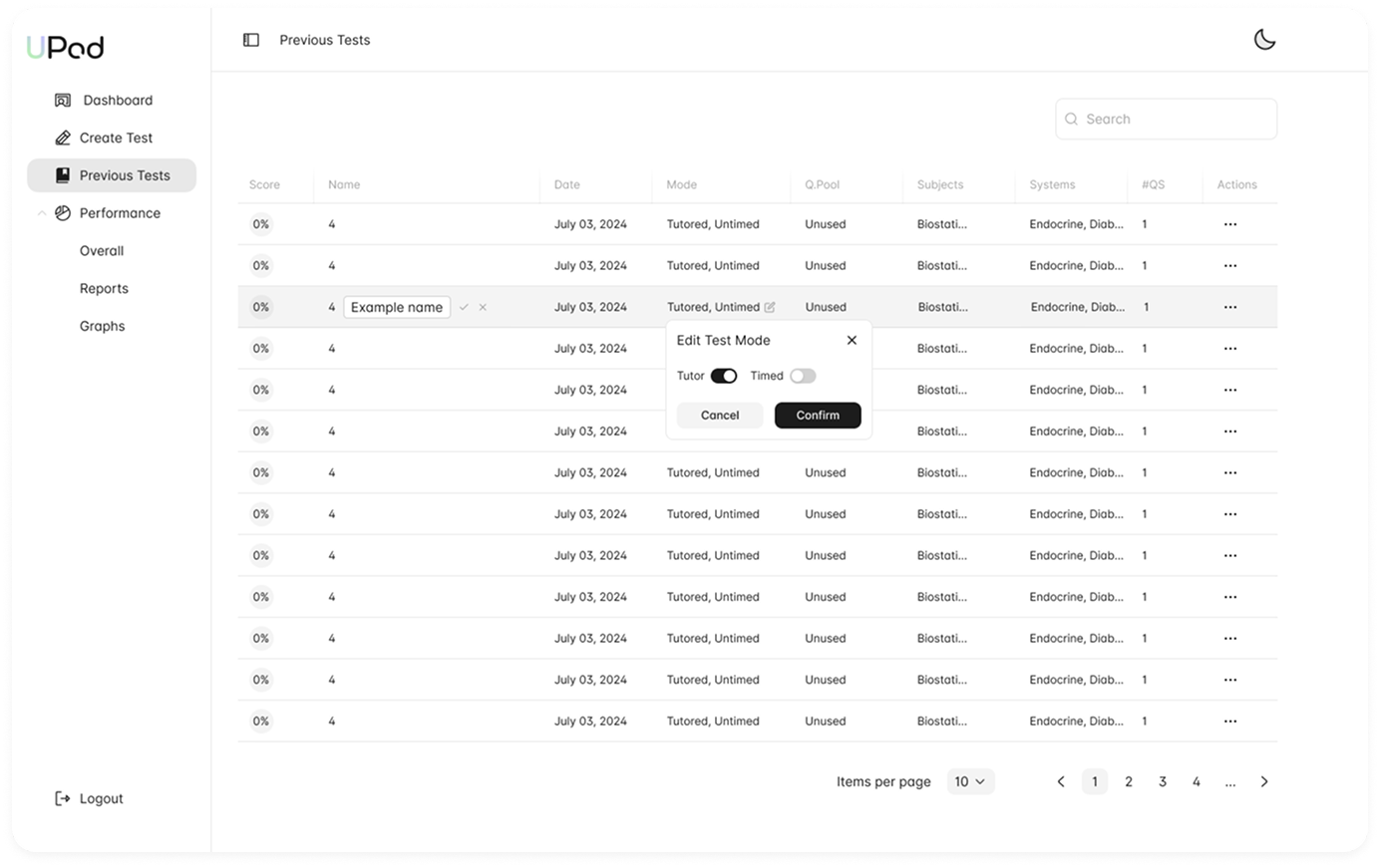
Previous Tests & Edit Mode
- - Comprehensive test history table
- - Score, Name, Date, Mode columns
- - Q.Pool, Subjects, Systems tracking
- - Inline name editing with confirmation
- - Edit Test Mode modal
- - Pagination with items per page control
- - Search functionality
Supports long-term study plans without clutter.
Overall Statistics Dashboard
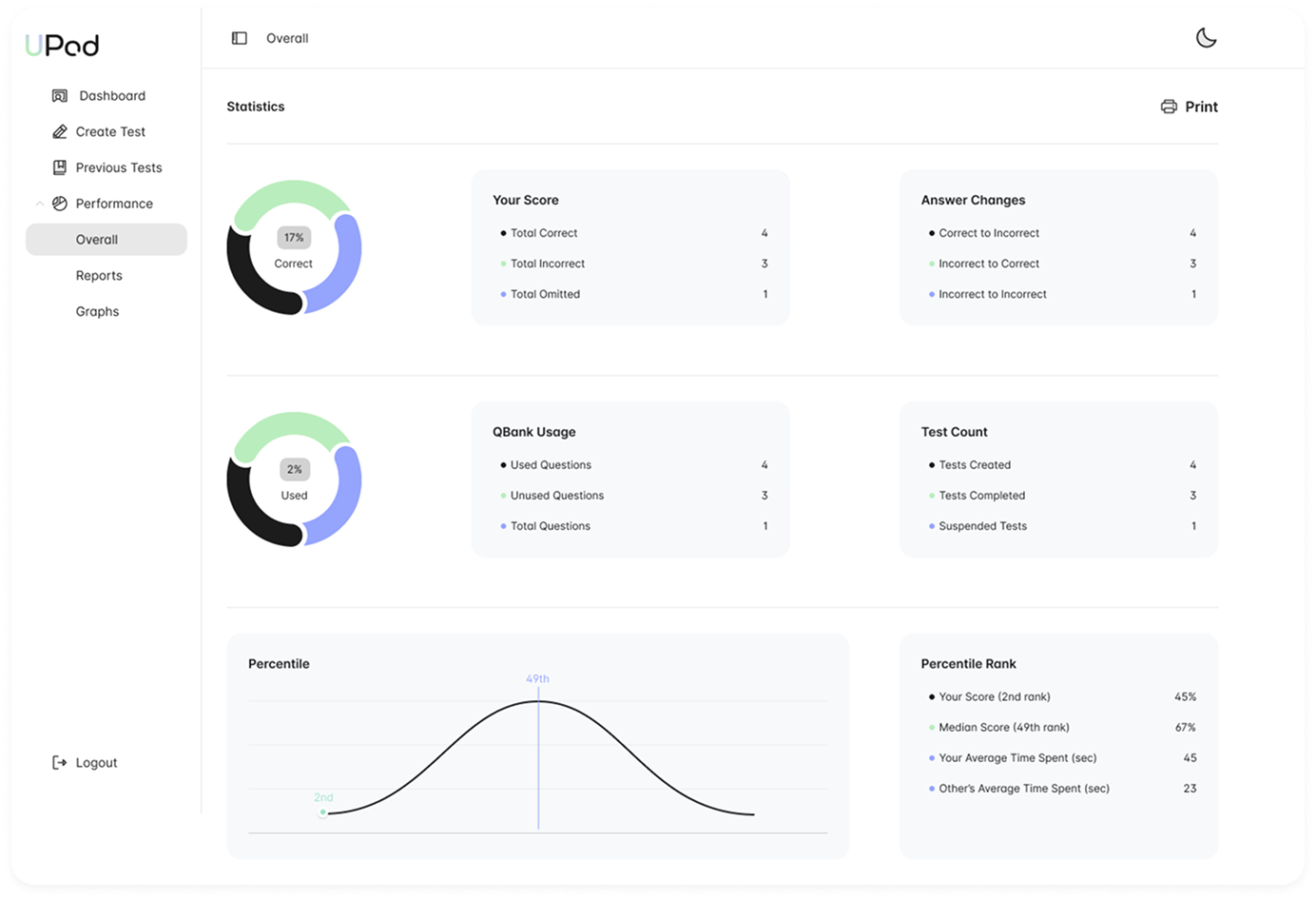
Score Breakdown
- - Total Correct
- - Total Incorrect
- - Total Omitted
- - Answer Changes tracking
QBank & Tests
- - Used/Unused Questions
- - Total Questions count
- - Tests Created/Completed
- - Suspended Tests
Percentile
- - Bell curve visualization
- - Your rank vs median
- - Average time comparison
- - Print report option
Billing & Payment
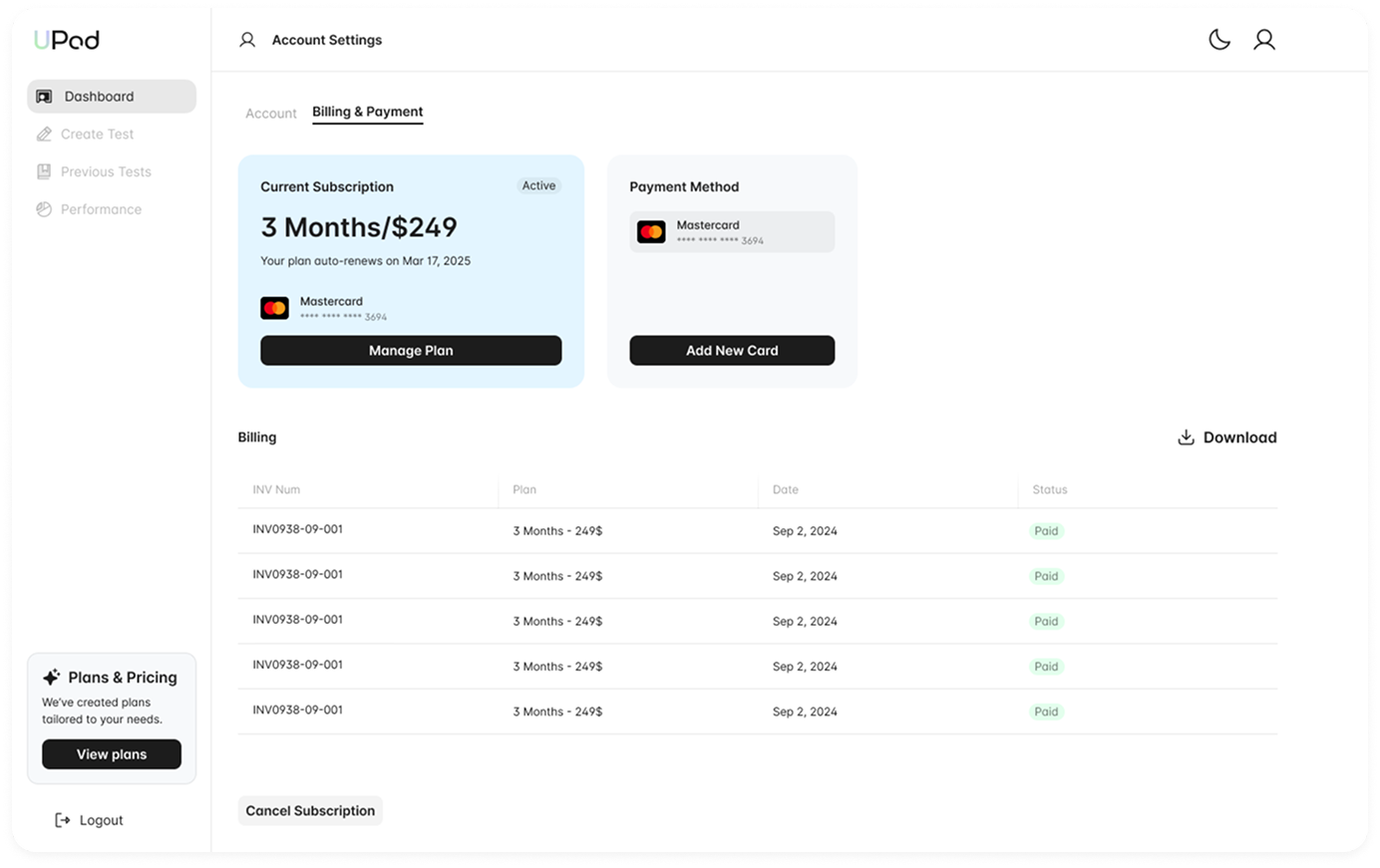
- - Current subscription status with Active badge
- - Plan details: 3 Months/$249
- - Auto-renewal date display
- - Payment method management
- - Add new card functionality
- - Billing history with invoice numbers
- - Download invoices option
- - Plans & Pricing sidebar promotion
- - Cancel subscription option
- - Light and dark mode support for all screens
- - Clean sidebar navigation with iconography
- - Consistent card-based layouts
- - Donut charts for score visualization
- - Bell curve for percentile ranking
- - Progress bars for subject tracking
- - Clear typography hierarchy
Built to scale as the platform grows in content and complexity.