Live Medical Education, Designed for Momentum
UStream
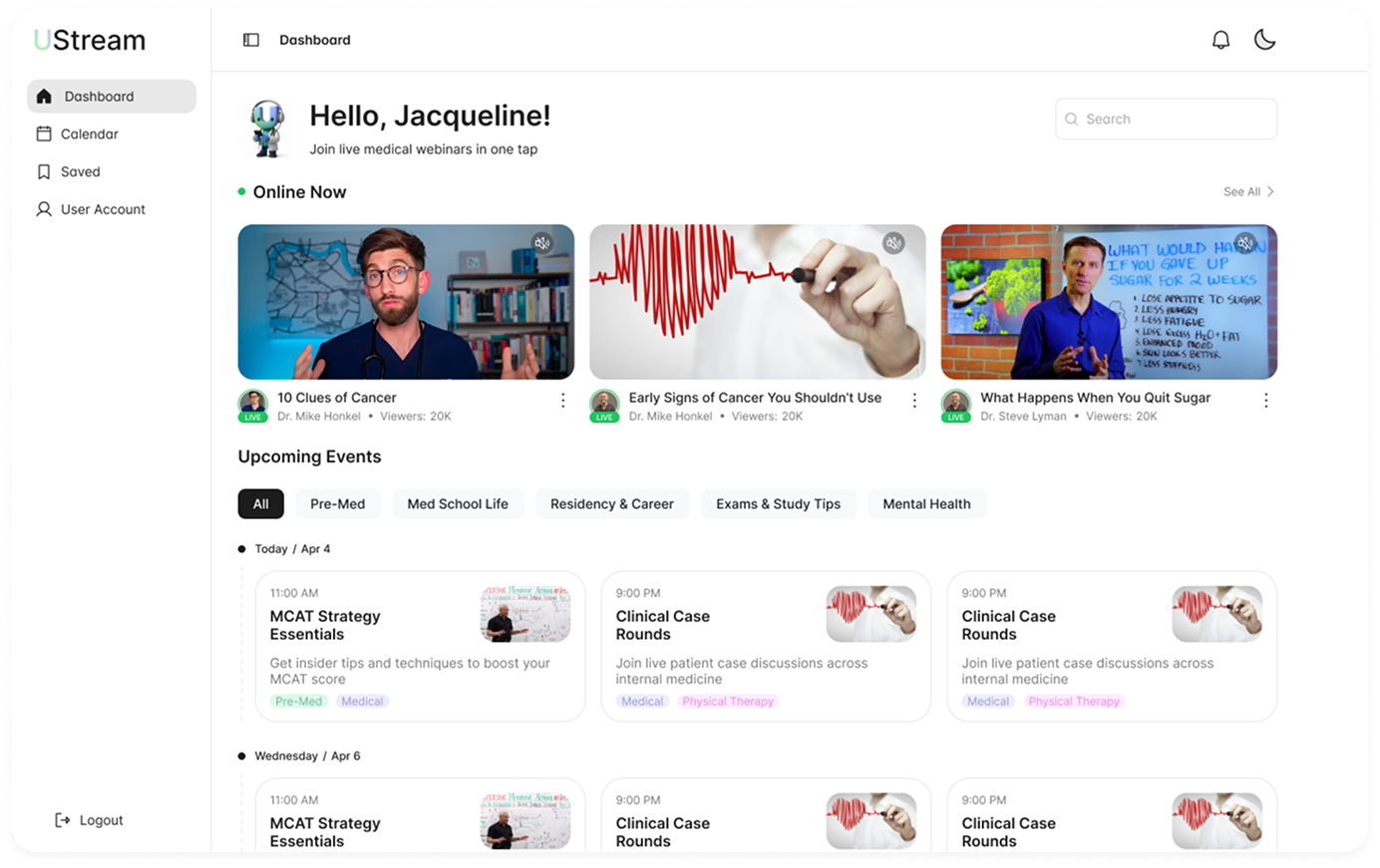
UStream is a live and on-demand webinar platform for medical students and early career clinicians. It brings expert lectures, visual explorations, and interactive sessions from figures like Kevin Wang, Alex Breen, and more into a single, tight-fit experience across web and mobile apps.
Medical education content is everywhere, but the experience is broken:
- -Live sessions feel passive and disengaging
- -Discovery is chaotic and the cleanest content is easy to miss
- -Registration asks questions that don't matter
- -Monetization often ends up being stacked or suppressing it
UStream needed to feel alive, structured, and worth paying for
Design a platform that:
Mobile Onboarding Experience

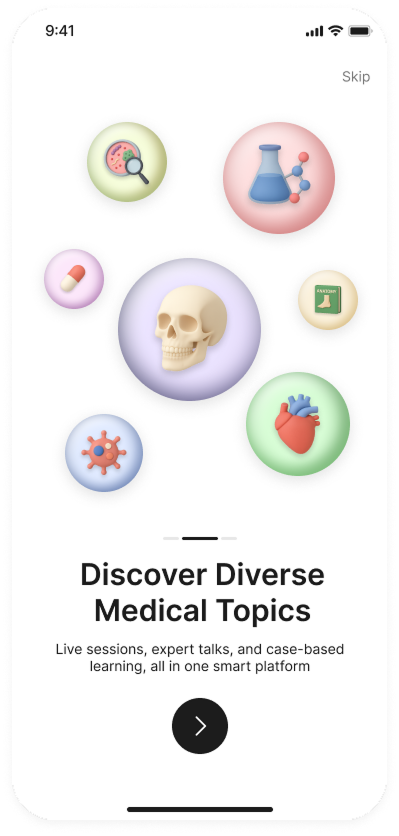
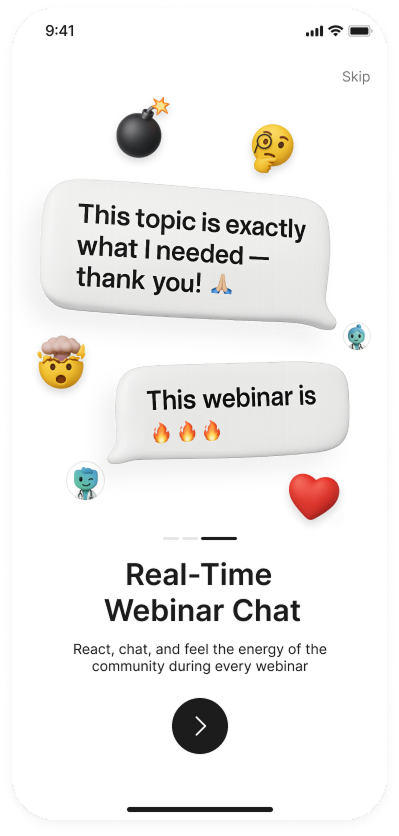
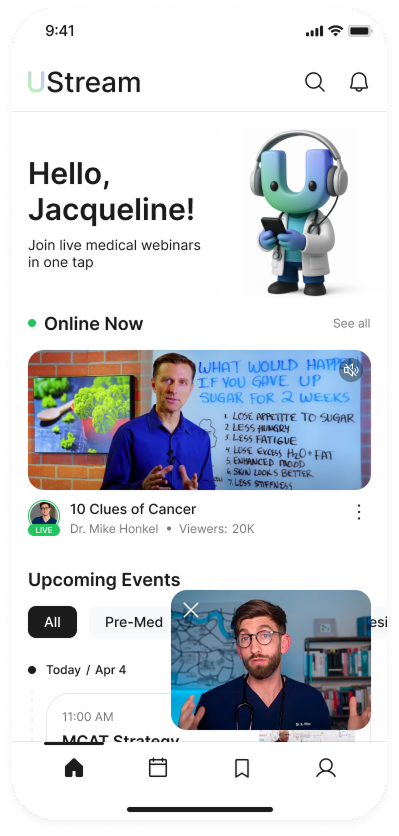
Join experts in real-time or get ready for upcoming webinars. React, chat, and feel the energy of the community.
Live-First Information Architecture
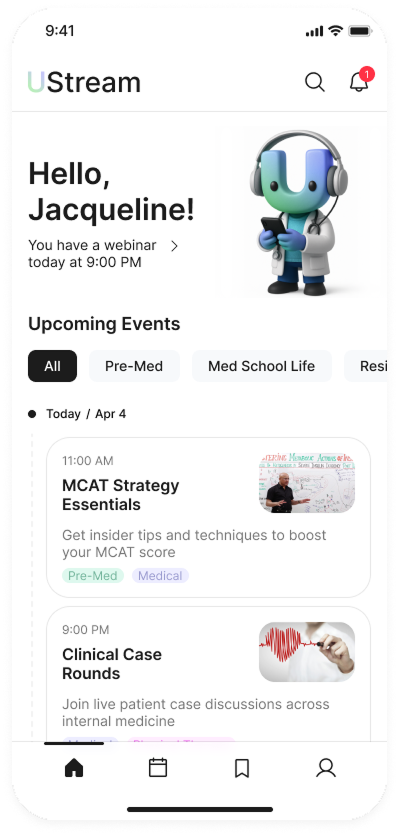
- - "Online Now" surfaces active webinars immediately
- - Upcoming events are clear and scannable by date
- - Calendar view reinforces habit and planning
- - Quick search tab offers priority and filtering content
This turns UStream into a daily destination, not a library.
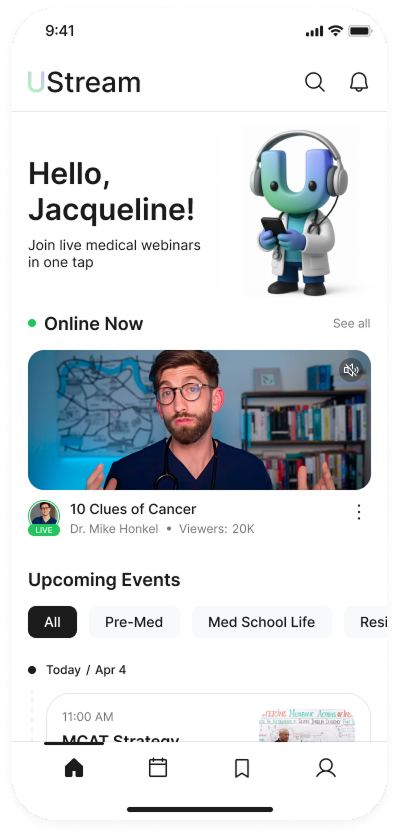
Online Now Feed
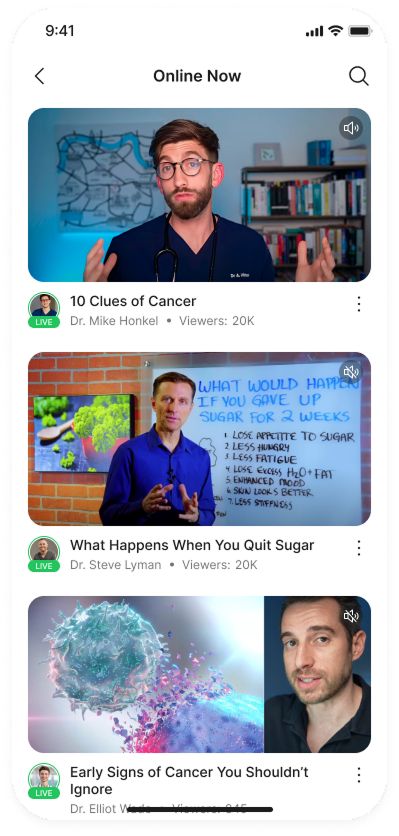
- - Scrollable feed of all currently live streams
- - Large video thumbnails with sound indicators
- - Host avatar, name, and viewer count
- - Quick navigation back to home
- - Search functionality for finding specific topics
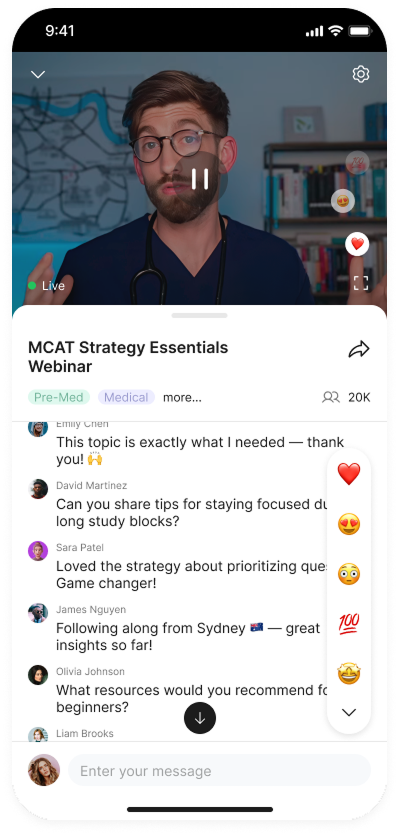
High-Energy Live Webinar Experience
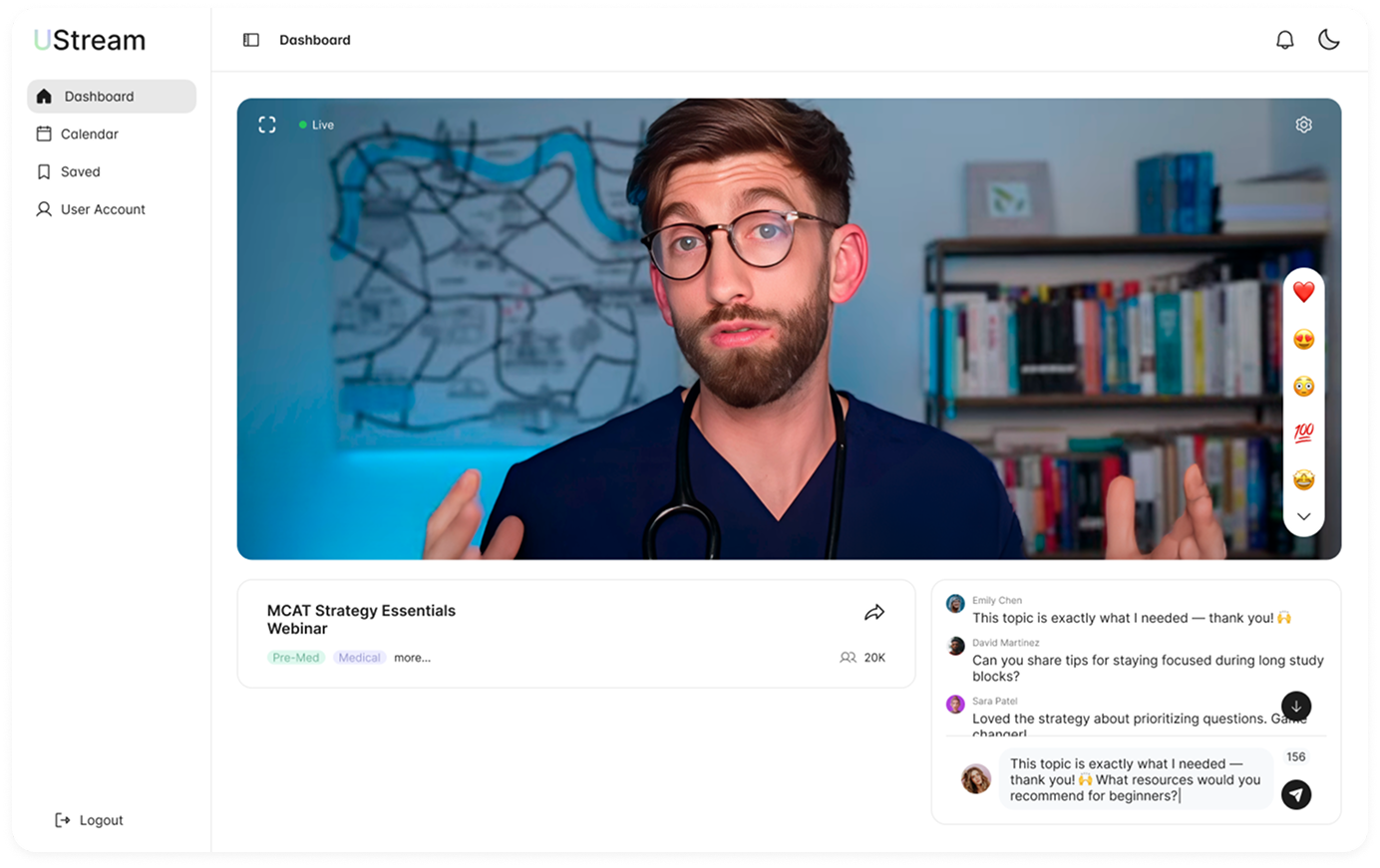
Live sessions are designed to feel live without being exhausting:
- - Real-time chat and threaded feedback
- - Clear title indicators and shared screaming feedback
- - Floating live indicators to reinforce momentum
- - Presenter info, date, subject and other info only
Users feel presence without cognitive overload.
Zero-Friction Registration Flow
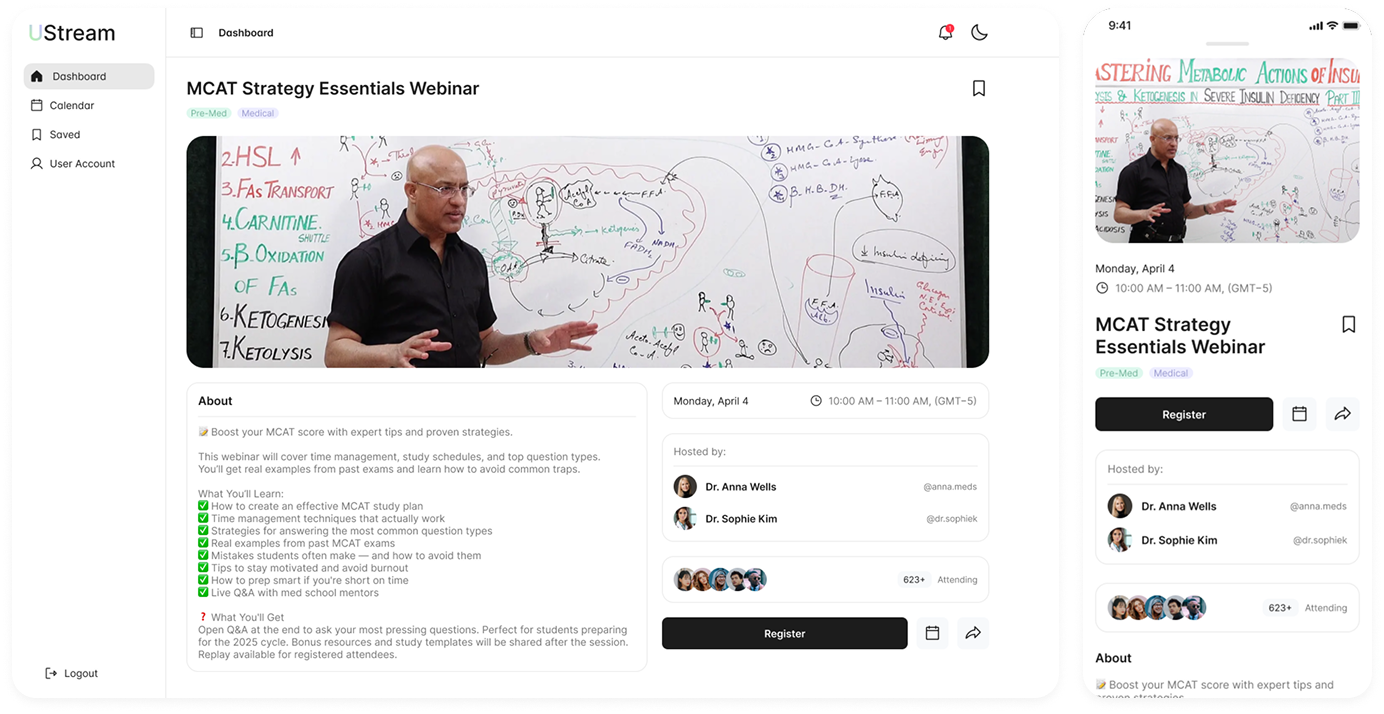
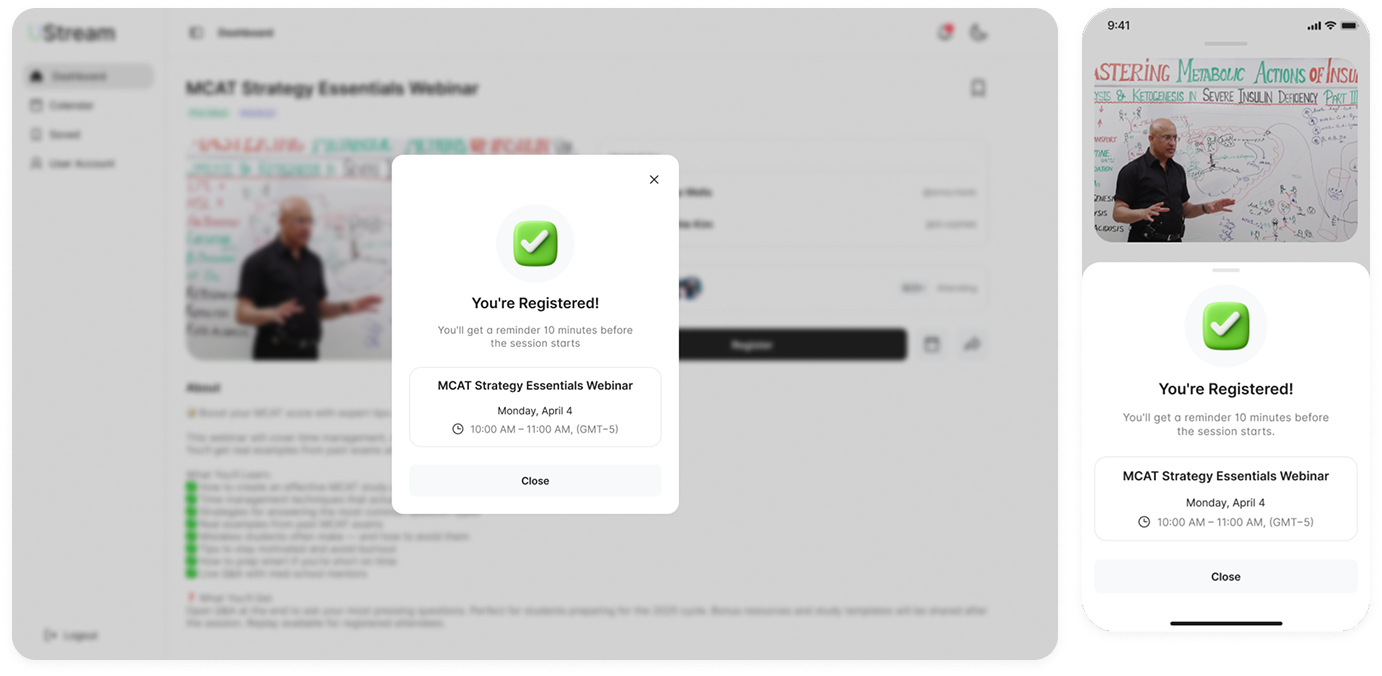
Registration is intentionally boring in the best way:
- - One-tap registration button
- - Immediate success confirmation
- - Automatic reminders before the session
- - Calendar integration without forcing it
No drop-off, no uncertainty, no "did it work?" moment.
Webinar Info Components
Your Calendar - Desktop & Mobile
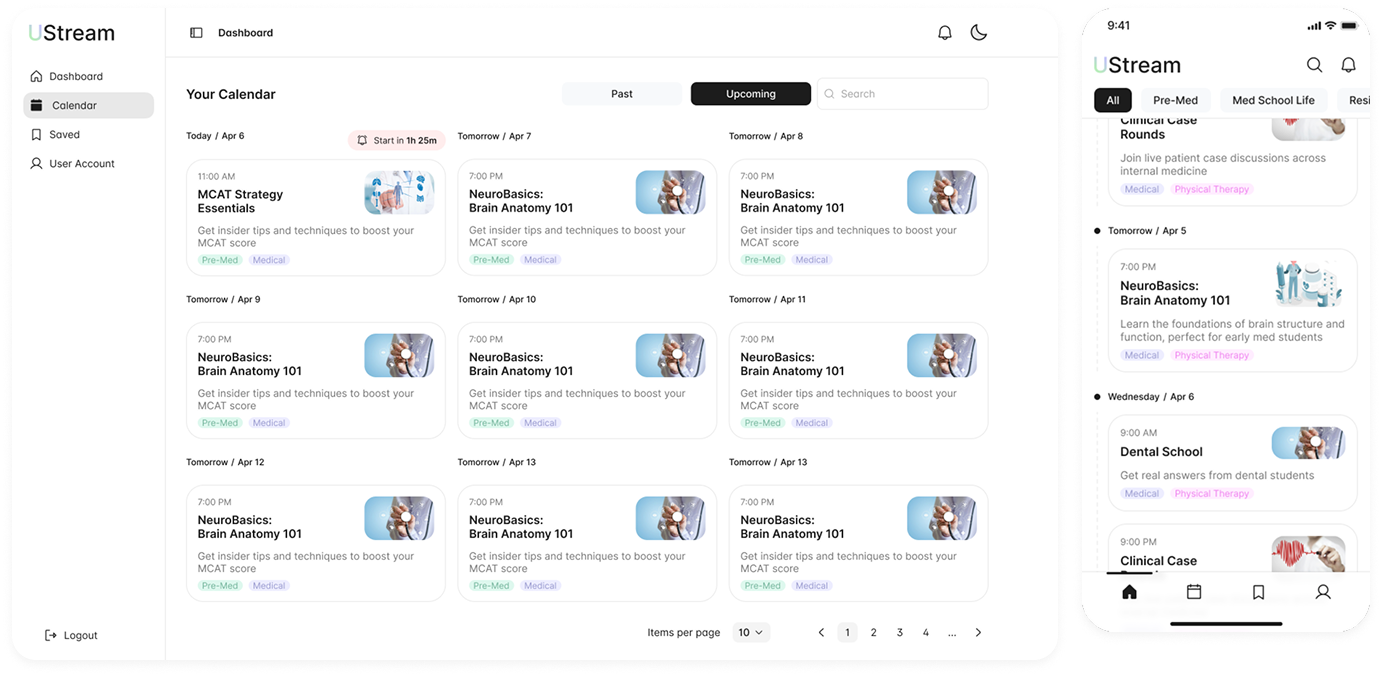
Past / Upcoming Toggle
Switch between viewing past sessions (for replay) and upcoming events
Grid Layout
Events organized by date with visual cards showing time, title, thumbnail, and tags
Quick Actions
Start timer, pagination, and items per page controls for power users
Subscription That Feels Fair
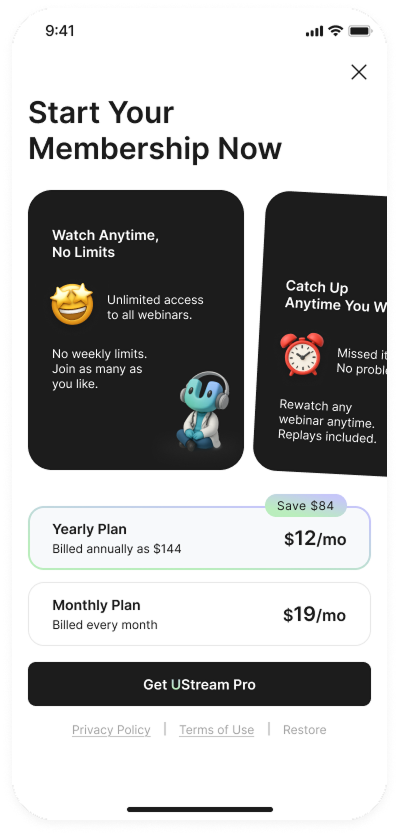
Monetization is framed as access, not restriction:
- - Simple monthly vs yearly comparison
- - Strong "Save $84" callout on annual plan
- - Feature cards: Watch Anytime, Catch Up Anytime
- - Replays shown at moments of perceived value, not interruption
The product earns the upgrade.
- - Clean, a tonal layer with warmth injected through motion and character
- - The 3D mascot/avatar appears context-appropriately (never jarring)
- - Color hierarchy optimized for long sessions and dense content
- - Oversized gesture zones and tap areas without feeling clumsy
Medical, but human.